The CALSoft™ software was designed by TechniCAL (the leading independent Process Authority) as a tool to be used specifically for assisting experienced, knowledgeable Process Authorities with the task of conducting the testing and evaluation of canned foods and retort sterilizers.
Opening CALSoft 6 brings you to the "main CALSoft homepage," which is the main "dashboard." This screen gives you the ability to navigate to any part of the program and access any of the "other features."
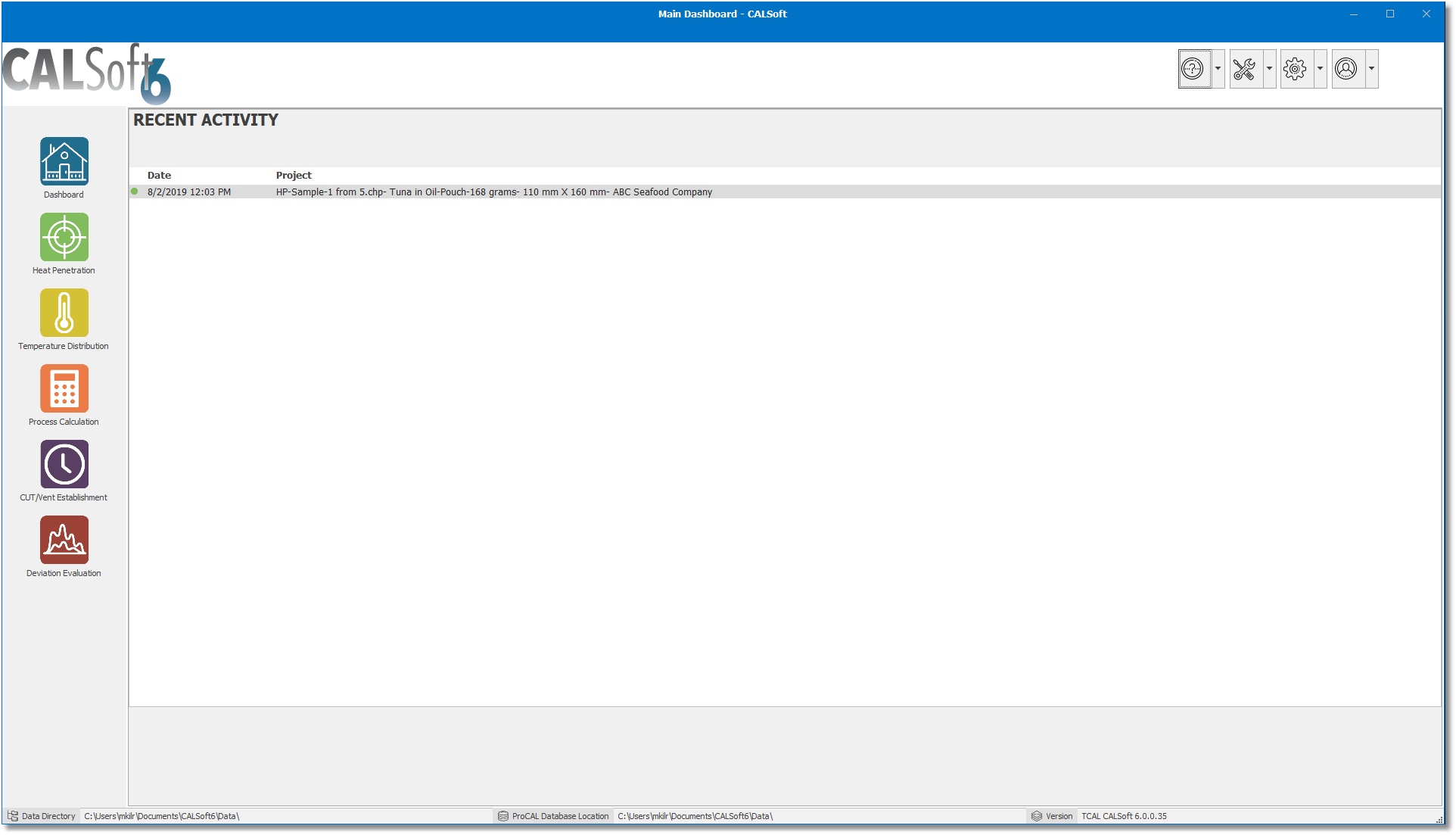
The following are the sections and features of the dashboard:
SIDE NAVIGATION: The CALSoft6 dashboard SIDE NAVIGATION is divided into five sections, which represent the five major tasks conducted by a Process Authority:
- Collect Heat Penetration Data (Heat Penetration)
- Collect Temperature Distribution Data (Temperature Distribution)
- Evaluate HP data and establish a Thermal Process (Process Calculation)
- Evaluate TD data and establish a Come Up time or Vent Schedule (CUT/Vent Establishment)
- Evaluate a Processing Deviation (Deviation Evaluation)
Click on any one of the section icons to go to that task's homepage and begin that task.
RECENT ACTIVITY: The RECENT ACTIVITY will show the recently used files and records.
OTHER FEATURES: Other features in CALSoft (the icons at the top right of the homepage) include:
- HELP (Question Mark Icon):
- On-Line Help, About CALSoft, and a link to the tcal.com website
- TOOLS (Tools Icon):
- Temperature Conversion
- Fh Conversion
- Lethal Rate Tables
- Product Data Sheet Template (customize the default product data sheet grid)
- Product Data Entries (opens the Product Data App)
- Calibration
- PREFERENCES (Gear Icon):
- USER INFO (User Icon):
- User/Activation Info (opens the "Activation Info" tab of the Preferences window)
- Check for Current Version
- Uninstall / Remove Activation